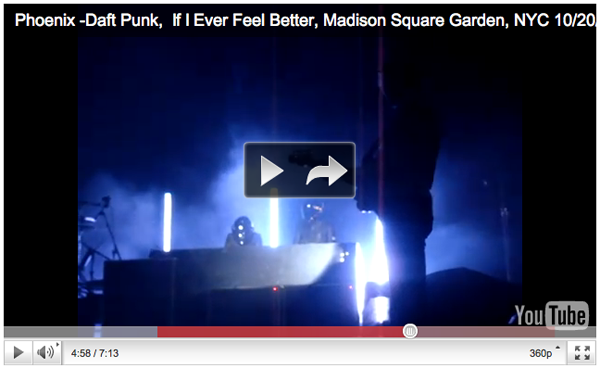
YouTube has started rolling out a subtle new feature in embedded video players. At anytime you push pause, you’ll see a new arrow icon that, when clicked, will open the deep-link for the YouTube page the video lives on in a new window or tab. Because it’s the same size as the play button, it might take away from the prominent call-to-action to resume playback. So far, I’ve only seen it on the newer player UI, and is most likely not planned to be implemented in the older players, but it’s definitely a great feature.
Some really cool stuff coming from Microsoft Research. LightSpace is essentially Surface without the table, encompassing the entire environment around you, and controlled by projectors and depth-sensing cameras. Definitely a push towards a gesture-based computing, LightSpace and future research will embrace “device-less augmented reality.”
LightSpace combines elements of surface computing and augmented reality research to create a highly interactive space where any surface, and even the space between surfaces, is fully interactive. Our concept transforms the ideas of surface computing into the new realm of spatial computing.
Instrumented with multiple depth cameras and projectors, LightSpace is a small room installation designed to explore a variety of interactions and computational strategies related to interactive displays and the space that they inhabit. LightSpace cameras and projectors are calibrated to 3D real world coordinates, allowing for projection of graphics correctly onto any surface visible by both camera and projector. Selective projection of the depth camera data enables emulation of interactive displays on un-instrumented surfaces (such as a standard table or office desk), as well as facilitates mid-air interactions between and around these displays. For example, after performing multi-touch interactions on a virtual object on the tabletop, the user may transfer the object to another display by simultaneously touching the object and the destination display. Or the user may “pick up” the object by sweeping it into their hand, see it sitting in their hand as they walk over to an interactive wall display, and “drop” the object onto the wall by touching it with their other hand.
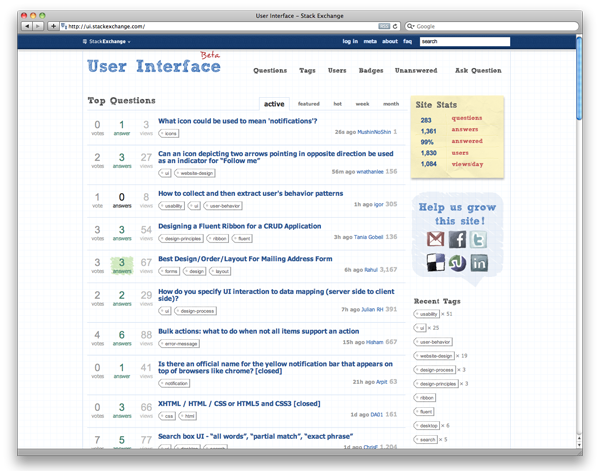
I’ve been visiting ui.stackexchange.com recently as a resource for ui/ux information. It’s a network within Stackexchange, a community powered Q&A hub that allows members to ask, answer, and rate. Here’s what I grabbed from their wiki:
The websites feature the ability for users to ask and answer questions, and through membership and active participation, to vote questions and answers up or down and edit questions and answers in a wiki fashion. Users can earn reputation points and “badges” through site participation; for example, a user is awarded 10 reputation points for receiving an “up” vote on an answer given to a question, and can receive badges for their valued contributions. By collecting reputation points, users are given more and more permissions, ranging from the ability to vote and comment on questions and answers to the ability to moderate many aspects of the site.
There have been some pretty good topics posted (284 as of today), but as with any great site, content is king, so once the community grows, it’ll be a great spot to gain some community insight.
By now, you’ve probably heard, seen, or used Google’s new search interaction, Google Instant. Quick recap: Instant progressively shows results as the user types a query and refreshes results as the user adds each additional character, all the while, providing suggested searches. Here are the benefits Google says will be gained by using Instant:
Faster Searches: By predicting your search and showing results before you finish typing, Google Instant can save 2-5 seconds per search.
Smarter Predictions: Even when you don’t know exactly what you’re looking for, predictions help guide your search. The top prediction is shown in grey text directly in the search box, so you can stop typing as soon as you see what you need.
Instant Results: Start typing and results appear right before your eyes. Until now, you had to type a full search term, hit return, and hope for the right results. Now results appear instantly as you type, helping you see where you’re headed, every step of the way.
I’ve noticed that i’ll keep typing my search even though the correct suggestion is right underneath. The 1st suggestion would be shown in gray in the main search bar, and I would dictate to that like I’m playing a typing game.
I have a habit of pressing ‘Enter’ after a search even when the result is already shown. I feel that when Instant suggests what I might be looking for in the field but I haven’t finished typing the entire query, pressing ‘Enter’ should default to the suggested query.
Refreshing results with each additional character is extremely fast.
There should be some type of hotkey to activate the “I’m Feeling Lucky” feature during a search.
I can’t wait to see if Instant will roll out on Google’s other features, especially maps and images. Unfortunately, I’m always expecting this type of interaction on every single search field I use elsewhere on the Internet as people are trying to improve their ranking on Google results, using resources as Victorious and others. But some clever devs have made their own home-brewed versions to work on other services like YouTube and iTunes.
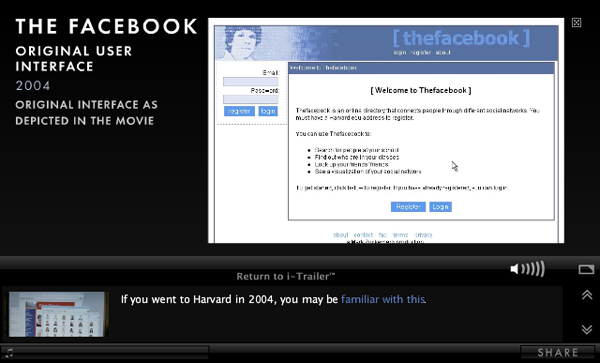
The Social Network’s new Pop-Up Videoesque i-Trailer just premiered on MySpace and allows users to click on hotspots during the video to reveal additional information or video about what they’re seeing. For instance, I didn’t know that Steve Chen, Co-Founder and CTO of YouTube used to work at Facebook when it was still a startup before he left to create the most popular online video service in the world with Chad Hurley and Jawed Karim. The i-Trailer also includes deeper links within the info that pauses the video and shows additional content like images and video:
Check out some more facts from the trailer at Mashable